5 Best Business Banking Tools in 2026

Business banking solutions have evolved rapidly. In our data, we found which tools are the most popularly used by our users. Here, we’ll go over the main characteristics of each of those tools to help you decide if they are the right fit for your business.
| Ramp | Ramp gives finance teams real-time visibility into company spending through smart corporate cards, automated bill pay, and AI-powered insights that flag waste before it compounds. |
| Brex | Brex combines corporate cards, business accounts, expense management, and travel booking into one platform. Built to scale from seed-stage startup to global enterprise without switching tools. |
| Mercury | Mercury is a fintech platform offering business checking, savings, and credit products with a clean interface, powerful API access, and features designed around the way modern companies actually operate. |
| Bluevine | Bluevine pairs a high-yield business checking account with access to flexible lines of credit — giving small business owners a rare combination of strong deposit rates and fast, accessible funding. |
| Lili | Lili bundles business banking, automated tax tools, expense categorization, and invoicing into a single mobile-first app — purpose-built for self-employed individuals who need more than a basic checking account. |
Business Banking Tools Guide Overview
What once required a patchwork of a traditional bank, a separate expense management tool, an accounting integration, and a bookkeeper can now be handled inside a single platform. Often in real time and often automatically, if you choose the right platform.
And what better way to explore tools than knowing what other top companies (our users) are using to manage their spend, issue corporate cards, and access capital. Given the number of users that these platforms have, you can trust that their services are generally great.
These business banking solutions understand that a startup managing burn rate has different needs than a freelancer setting aside quarterly taxes, and that both have different needs than a mid-market company processing thousands of vendor payments a month.
The result is a category of tools that are more segmented, more intelligent, and more tightly integrated than anything a traditional bank has ever offered, including Ramp, Brex, Mercury, Lili, and Bluevine.
These 5 tools offer similar services and features, but ofter directed at different crowds. So certain features will benefit certain users more.
In addition, these platforms are starting to implement AI features faster than any traditional banking solution. So you can expect to have smarter spend management. AI can now flag duplicate subscriptions, auto-codes expense receipts, predicts cash flow gaps, and surfaces anomalies before they become problems. The cognitive overhead of managing business finances is quietly being absorbed by the platforms themselves.
The five tools in this guide represent the sharpest edge of that evolution. Each one has earned its place by serving a specific part of the market with uncommon depth: from venture-backed startups optimizing their runway to independent contractors trying to keep their books clean. Together, they cover the full arc of modern business finance.
How we evaluate
NachoNacho is the leading software marketplace and management platform, processing millions of transactions every year.
This means that we have firsthand data on the software trends shaping how businesses operate and improve.
This isn’t a random compilation of products, but clear category winners in the eyes of top-performing companies. Through the data, intensive research, and hands-on experience, we evaluate these products and synthesize why you may want to keep them on your radar.
To provide a full picture of each software, we also look at factors like:
- User experience
- Security
- Personal reviews
1. Ramp
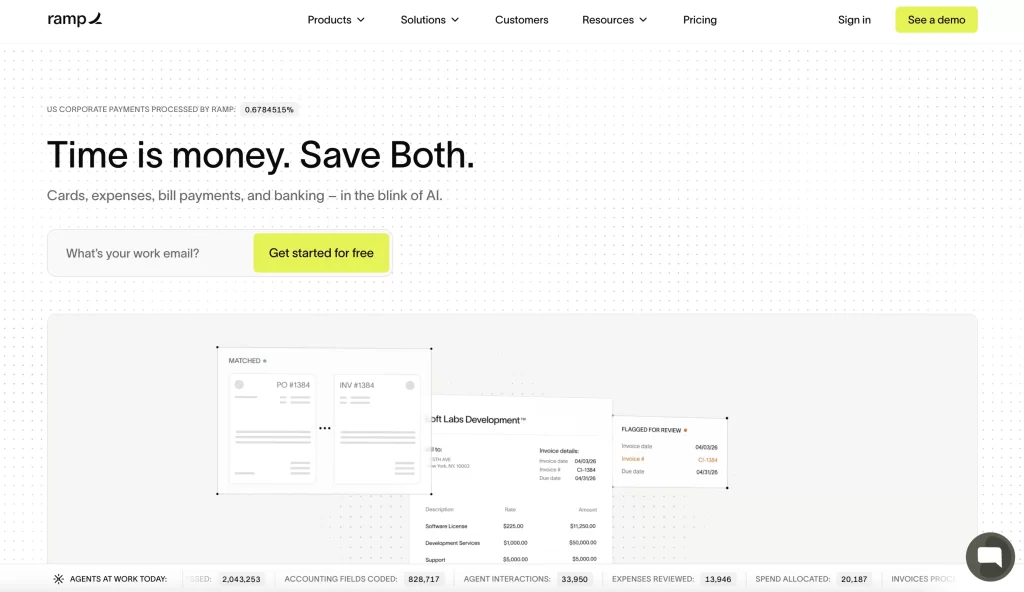
Ramp is a corporate card and spend management platform that automates expense reporting, flags wasteful spending, and gives finance teams real-time control over company money. Free to use with no monthly fees. Premium features available via Ramp Plus at $15/user/month.
Best for: Finance teams, operators, and CFOs at growth-stage and mid-market companies who want automated spend controls, real-time visibility, and measurable cost savings.
What is Ramp?
Ramp is a spend management platform founded in 2019, combining corporate cards, expense management, bill pay, accounting integrations, and AI-powered financial insights under one roof. Unlike traditional corporate card programs, Ramp was built around the premise that companies should spend less, and its software actively surfaces savings opportunities, duplicate subscriptions, and negotiation leverage across a company’s vendor portfolio. Ramp integrates natively with QuickBooks, Xero, NetSuite, Sage, and dozens of other accounting tools, and processes transactions in real time with automatic receipt matching and coding. It is free for most users, with advanced features available through Ramp Plus.
Key Features
Smart Corporate Cards
Ramp issues physical and virtual corporate cards to employees and contractors with customizable spending controls baked in at the card level. Finance teams can set per-transaction limits, restrict spending to specific merchant categories, and automatically require receipts above defined thresholds — all without manual review of every expense. Cards are issued instantly and can be created for specific vendors, one-time use cases, or recurring software subscriptions, giving operators granular control without slowing down the teams that need to spend.
Automated Expense Reports
One of Ramp’s most tangible time savings is the near-elimination of manual expense reporting. When a transaction posts, Ramp automatically sends a receipt request via SMS or email to the cardholder, reads the uploaded receipt using OCR, and codes the transaction to the correct accounting category and cost center based on the merchant, amount, and historical patterns. For most companies, this makes end-of-month reconciliation a review process rather than a data-entry exercise — freeing finance teams from chasing receipts across Slack threads.
AI-Powered Savings Insights
Ramp’s intelligence layer continuously analyzes a company’s transaction history to surface actionable cost reduction opportunities. It identifies duplicate software subscriptions, flags vendors where peer benchmarks suggest better pricing is available, and surfaces tools that appear unused based on purchase patterns. Unlike a passive dashboard, Ramp proactively pushes these recommendations to finance teams with enough context to act on them — often with direct links to cancel, consolidate, or renegotiate. Companies using Ramp report average savings of 3.5% of total spend.
Bill Pay & Accounts Payable
Beyond cards, Ramp includes a full accounts payable module that handles vendor invoice collection, approval routing, and payment scheduling. Finance teams can set multi-step approval workflows by vendor, amount, or department, ensuring that large or unusual payments are reviewed before they go out. Payments can be sent via ACH, check, or international wire, and all invoice data syncs automatically to the connected accounting system. The result is a single platform that covers both how employees spend and how the company pays its vendors.
Accounting Integrations
Ramp is designed to disappear into a company’s existing finance stack rather than replace it. Deep, two-way integrations with QuickBooks Online, Xero, NetSuite, Sage Intacct, and Microsoft Dynamics ensure that every transaction, memo, and coding decision flows into the general ledger without manual export or import. Custom field mapping, multi-entity support, and subsidiary-level reporting make Ramp viable for companies that have outgrown basic accounting setups and need a spend layer that respects the complexity of their books.
Ramp Intelligence (AI)
Ramp Intelligence is the AI layer embedded across the entire platform, going beyond savings alerts to assist with broader financial operations. It can generate natural-language summaries of spending trends, answer questions about where budget has been consumed, assist with policy drafting, and provide real-time anomaly alerts when spending patterns deviate from historical norms. As the platform ingests more company-specific data over time, these insights become increasingly tailored — transforming Ramp from a transaction tool into something closer to an always-on financial analyst.
Pros & Cons
| Pros | Cons |
|---|---|
| ✓ Free for most users with no transaction fees | ✗ Requires a linked business bank account to fund cards |
| ✓ Automated receipt matching saves hours per month | ✗ Best features require higher spend volume to shine |
| ✓ AI savings insights deliver measurable ROI | ✗ Not a business bank — no deposit accounts |
| ✓ Deep accounting integrations with major platforms | ✗ International features less mature than domestic |
| ✓ Real-time spend controls at the card level | ✗ Smaller teams may not need this level of complexity |
Pricing
- Ramp (Free): $0/month — Corporate cards, expense management, bill pay, accounting integrations, basic reporting.
- Ramp Plus: $15/user/month — Advanced approval workflows, custom fields, multi-entity support, priority support.
- Ramp Enterprise: Custom — Dedicated implementation, ERP integrations, HRIS sync, advanced security and compliance.
2. Brex
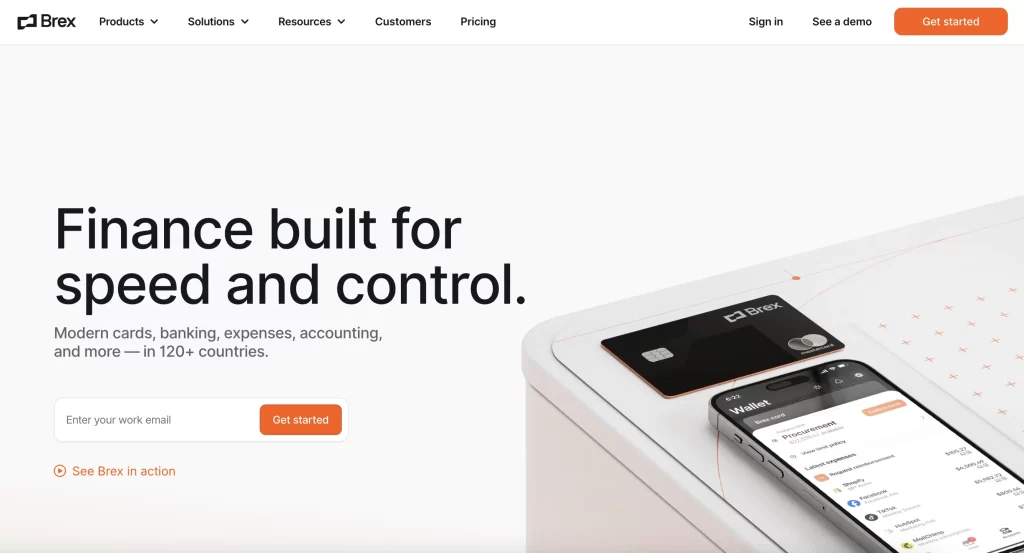
Brex is a corporate financial platform combining cards, banking, expense management, and travel into a single product suite. No monthly fees on the core product. Premium plans start at $12/user/month. Built to scale from day one through IPO.
Best for: Venture-backed startups, scaling companies, and global teams that need a full financial stack — cards, accounts, expenses, and travel — without stitching together multiple vendors.
What is Brex?
Brex was founded in 2017 with a simple insight: traditional corporate cards were inaccessible to startups because underwriting was based on personal credit history rather than company fundamentals. Brex changed the model by underwriting businesses based on their funding, revenue, and financial profile. Allowing early-stage companies to access high-limit corporate cards without a personal guarantee. Since then, Brex has evolved into a comprehensive financial operating system that includes business accounts, global cards, expense management, corporate travel booking, and financial workflow automation. It is used by tens of thousands of companies ranging from Y Combinator-backed startups to global enterprises managing spend across multiple geographies.
Key Features
No-Personal-Guarantee Corporate Cards
Brex’s foundational innovation remains one of its most valuable: corporate cards that are underwritten against the business rather than the founder’s personal credit score. This means early-stage founders don’t need to put their personal credit on the line to give employees access to company money. Credit limits are determined dynamically based on factors like cash balance, funding history, and revenue, and can scale automatically as the business grows — without requiring a call to a banker or a new application.
Brex Business Accounts
Brex offers FDIC-insured business checking and savings accounts that integrate natively with its card and expense products. Funds deposited earn yield on idle cash, and the platform supports multi-entity structures for companies managing subsidiaries or holding companies. Domestic and international wires, ACH transfers, and check deposits are all supported. For startups that want to consolidate their entire financial relationship with one provider — rather than using a legacy bank for deposits and Brex only for cards — the business accounts make that possible without sacrificing functionality.
Global Expense Management
Brex’s expense management module handles the full lifecycle of employee spending across cards, reimbursements, and out-of-pocket expenses. AI-assisted receipt capture, automatic policy enforcement, and customizable approval chains reduce the manual work on both sides of the expense process. The platform supports multi-currency transactions and international reimbursements, which is critical for companies with employees or contractors across multiple countries. Expense data syncs bidirectionally with NetSuite, QuickBooks, Sage, and Xero, keeping the accounting system current without manual exports.
Brex Travel
Brex Travel is a corporate travel booking tool built directly into the financial platform — eliminating the disconnect that typically exists between how companies book travel and how they track and reimburse it. Employees book flights, hotels, and car rentals inside Brex, and those bookings post automatically to the correct expense category with all policy checks applied at the point of purchase. Managers can set per-diem limits, require pre-approval for trips above a threshold, and see travel spend alongside all other company expenses in a single dashboard, without requiring a separate travel management subscription.
Spend Controls & Policy Enforcement
Brex’s policy engine allows finance teams to encode their expense policies directly into the platform rather than relying on employees to self-enforce rules. Spending limits, approved merchant categories, required receipts, and multi-step approvals can all be configured at the team, department, or individual level. When a transaction falls outside policy, it is flagged automatically — often before the charge posts — preventing the retroactive chasing of out-of-policy spending that consumes finance team time. Policy updates take effect in real time across all cards and users without any reissuance required.
AI Financial Assistant
Brex’s AI layer assists finance teams with tasks that traditionally required analyst time or manual data pulls. Natural language queries allow users to ask questions like “what did we spend on software vendors last quarter compared to this quarter” and receive structured, visual answers without exporting to a spreadsheet. The AI also assists with memo standardization, flags unusual transactions, suggests coding corrections based on historical patterns, and generates spend trend narratives for board reporting. As more financial activity flows through the platform, these capabilities become more accurate and more specific to each company’s own patterns.
Pros & Cons
| Pros | Cons |
|---|---|
| ✓ No personal guarantee required for corporate cards | ✗ Premium features require Brex Premium plan |
| ✓ Full financial stack: cards, accounts, expenses, travel | ✗ Travel booking less mature than dedicated tools like TravelPerk |
| ✓ Built to scale from seed stage to enterprise | ✗ Some features restricted to US-incorporated entities |
| ✓ Strong international capabilities and multi-currency support | ✗ Customer support quality varies by plan tier |
| ✓ Deep integrations with major ERP and accounting platforms | ✗ Smaller companies may not need this level of breadth |
Pricing
- Brex Essentials: $0/month — Corporate cards, business accounts, basic expense management, standard integrations.
- Brex Premium: $12/user/month — Advanced controls, travel, reimbursements, priority support, deeper integrations.
- Brex Enterprise: Custom — Custom credit limits, dedicated implementation, advanced security, ERP integrations.
3. Mercury
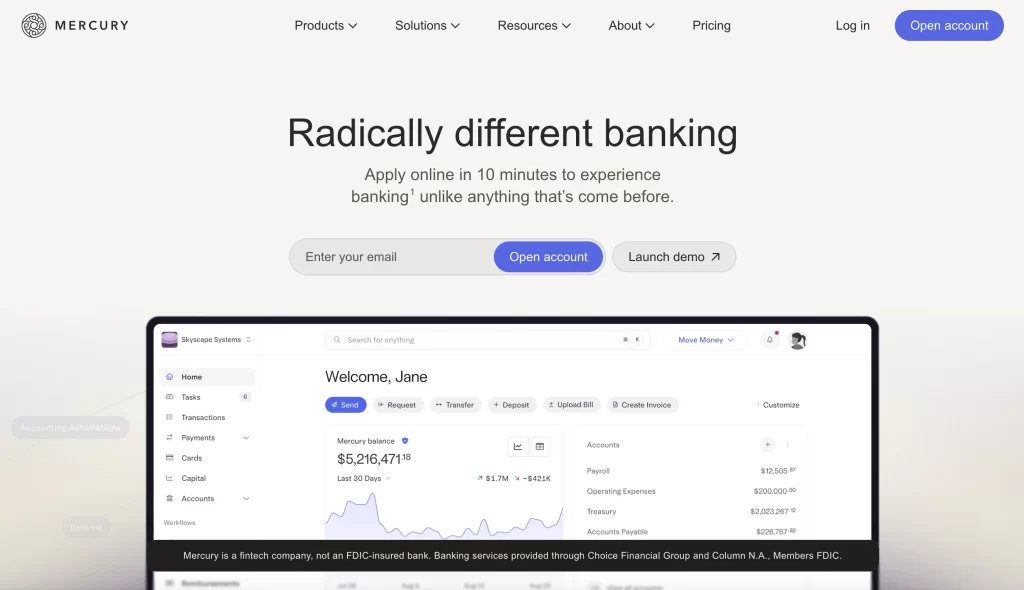
Mercury is a fintech platform offering business banking, treasury management, and venture debt products with API-first infrastructure and a clean, powerful interface. No monthly fees on core accounts. Paid features available via Mercury Plus and Pro.
Best for: Startups, tech companies, and digital-native businesses that want a modern banking experience with strong API access, multi-account treasury tools, and integrations built for the way software companies operate.
What is Mercury?
Mercury launched in 2019 as a banking platform designed specifically for startups — combining FDIC-insured checking and savings accounts with the kind of developer-friendly infrastructure, clean interface, and startup-relevant features that traditional banks have never prioritized. Mercury accounts are held through partner banks (Evolve Bank & Trust and Choice Financial Group), with deposits insured up to $5 million through its Insured Cash Sweep program. Beyond basic banking, Mercury has expanded into venture debt (Mercury Venture Debt), corporate cards, treasury management, and a suite of tools built around the specific financial workflows of early- and growth-stage companies. It has become one of the most widely used banking platforms in the startup ecosystem.
Key Features
Business Checking & Savings
Mercury’s core product is a business checking account that does what a traditional bank account does — receive deposits, send wires, issue debit cards — but with a significantly better interface, faster setup, and no monthly fees or minimum balance requirements. Alongside checking, Mercury offers a high-yield savings product that allows companies to put idle cash to work without moving funds to a separate institution. The Insured Cash Sweep program extends FDIC coverage up to $5 million across a network of partner banks, providing a level of deposit protection that matters to startups holding significant cash post-raise.
Mercury Treasury
For companies managing larger cash balances, Mercury Treasury offers access to money market funds through a partnership with Vanguard and Fidelity, providing a higher potential yield than a savings account while keeping funds highly liquid. Treasury products can be configured to automatically sweep excess cash above a defined threshold, ensuring that idle funds are always working without requiring daily manual management. This feature is particularly relevant for startups that have raised a significant funding round and need to thoughtfully manage burn while preserving optionality.
Corporate Cards
Mercury issues physical and virtual corporate cards with spend controls, per-card limits, and instant issuance for employees. Unlike some competitors that require a separate underwriting process, Mercury cards are integrated directly into the Mercury financial account, funded by the company’s deposits rather than a credit facility. This simplifies the financial architecture for early-stage companies that may not qualify for traditional credit lines but still need to give employees a scalable way to spend. Transactions post in real time and feed into Mercury’s transaction dashboard.
API & Developer Tools
Mercury’s API is one of the most fully featured in the business banking space, supporting programmatic access to account balances, transaction history, payment initiation, and recipient management. This makes Mercury a natural fit for startups building internal financial tooling, automating vendor payments, or integrating banking data directly into their own dashboards and ERP systems. Webhooks allow event-driven workflows — triggering notifications or downstream automation the moment a payment posts, a deposit clears, or a balance threshold is crossed. For technical teams, Mercury functions less like a bank and more like a financial infrastructure layer.
Multi-Entity & Team Management
Mercury supports multiple entities within a single login, making it practical for founders managing a holding company structure, operating subsidiaries, or multiple portfolio companies under a venture vehicle. Each entity maintains its own accounts, permissions, and transaction history, while authorized users can navigate between them without separate logins. Role-based access controls allow founders to give finance team members, bookkeepers, or operators the specific level of access they need — from read-only visibility to full payment authorization — with a complete audit trail of every action.
Startup-Focused Features
Mercury has built specific features around the lifecycle of a venture-backed startup in ways that traditional banks simply haven’t. These include a venture debt product (Mercury Venture Debt) offering non-dilutive capital, cap table-aware onboarding that streamlines the setup process for newly incorporated companies, and a partner ecosystem of integrations with tools like Gusto, Stripe, QuickBooks, and Carta that startups typically use. Mercury IO, the company’s dashboard for operators, also surfaces cash flow analytics, runway estimates, and burn rate summaries that give founders the financial context they need without exporting to a spreadsheet.
Pros & Cons
| Pros | Cons |
|---|---|
| ✓ No monthly fees, no minimum balances | ✗ Not a chartered bank — deposits held through partner banks |
| ✓ Up to $5M in FDIC coverage via Insured Cash Sweep | ✗ No physical branch access or cash deposit support |
| ✓ Best-in-class API and developer tooling | ✗ Credit products (cards) are debit-based, not credit-backed |
| ✓ Clean interface purpose-built for startups | ✗ Customer support can be slow for complex issues |
| ✓ Multi-entity support for complex company structures | ✗ Treasury and venture debt features require higher balances |
Pricing
- Mercury (Free): $0/month — Checking, savings, corporate debit cards, API access, basic integrations.
- Mercury Plus: $35/month — Higher ACH limits, priority support, advanced controls, Clarity financial insights.
- Mercury Pro: $350/month — Highest wire and ACH limits, dedicated support, advanced treasury access.
- Mercury Venture Debt: Custom — Non-dilutive growth capital for qualifying startups; terms based on ARR and funding history.
4. Bluevine
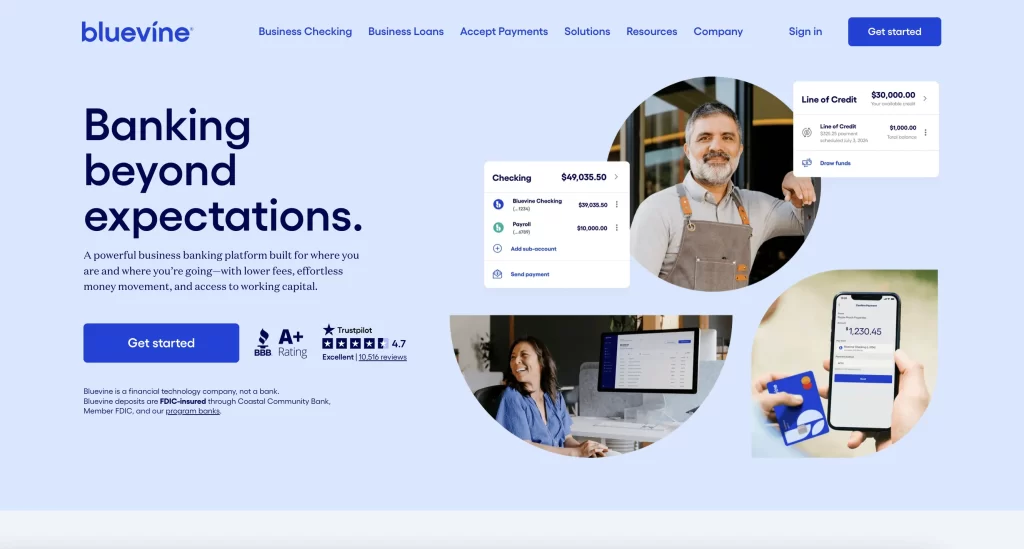
Bluevine is a small business banking platform that combines a high-yield checking account with fast, flexible access to lines of credit. No monthly fees on the standard plan. Business checking earns up to 2.0% APY. Lines of credit up to $250,000.
Best for: Small business owners, contractors, and entrepreneurs who need a strong-yield business checking account alongside accessible credit — without navigating the complexity of a traditional bank.
What is Bluevine?
Bluevine was founded in 2013 with a focus on solving one of the most persistent problems in small business finance: access to working capital. What began as an invoice factoring and lending company has evolved into a full business banking platform, combining FDIC-insured checking accounts with revolving lines of credit in a single dashboard. Bluevine’s business checking account consistently earns among the highest yields in its category — up to 2.0% APY on balances — while its lending products offer fast approvals and flexible repayment terms that traditional banks rarely match for small businesses. Deposits are held through Coastal Community Bank, Member FDIC, with accounts eligible for up to $3 million in FDIC coverage through a sweep program.
Key Features
High-Yield Business Checking
Bluevine’s flagship product is a business checking account that earns up to 2.0% APY on balances — a yield that competes directly with many high-yield savings products and dramatically outpaces the near-zero rates offered by most traditional business checking accounts. There are no monthly fees, no minimum balance requirements to open, and no transaction limits for standard transfers. For small business owners who maintain meaningful cash balances between payroll cycles, this yield represents real, recurring value that accumulates without any additional effort or product complexity.
Lines of Credit
Bluevine’s line of credit product offers qualified small businesses access to revolving credit up to $250,000, with a draw-and-repay structure that mirrors how small businesses actually need to access capital. Rather than a term loan that delivers a lump sum upfront, a revolving line allows owners to draw what they need, repay it as revenue comes in, and draw again — making it well-suited for businesses with seasonal demand, project-based cash flow, or inventory cycles. Approvals are faster than traditional bank underwriting, with decisions often available within hours and funding accessible the same or next business day.
Business Debit Mastercard
Every Bluevine checking account comes with a business debit Mastercard that can be used for purchases, ATM withdrawals (fee-free at MoneyPass ATMs nationwide), and employee spending. The card supports standard Mastercard purchase protections and can be used anywhere Mastercard is accepted globally. For small business owners who don’t need a full corporate card program but want something more functional than carrying a personal card, the Bluevine debit card is a clean, practical solution that carries the checking account’s yield-earning balance behind it.
Sub-Accounts
Bluevine supports the creation of sub-accounts — additional checking accounts within the same Bluevine relationship — that allow business owners to segment their cash for specific purposes. Common use cases include dedicated accounts for taxes, payroll reserves, operating expenses, and project-specific budgets. Each sub-account earns the same yield as the primary account and has its own account and routing numbers, making it possible to receive payments or run payroll directly from the appropriate sub-account. This feature brings a lightweight version of multi-account treasury management to small businesses that would otherwise do this manually in a spreadsheet.
Bill Pay & Payments
Bluevine includes a bill pay module that allows business owners to schedule and send payments to vendors directly from the platform, either by ACH, check, or wire transfer. Recurring payments can be automated on a set schedule, reducing the risk of late fees on predictable obligations like rent, subscriptions, or contractor retainers. International wires are also supported for businesses with overseas vendors or remote contractors. While not as feature-rich as a dedicated AP automation tool, Bluevine’s payment capabilities are sufficient for most small businesses that don’t need multi-level approval workflows.
Integrations with Accounting Tools
Bluevine connects with QuickBooks Online and other widely used small business accounting platforms to keep transaction data synchronized without manual exports. When a payment is sent or received, the transaction appears in the connected accounting system with enough detail to allow a bookkeeper or the business owner to categorize it accurately. This reduces the monthly reconciliation workload that many small business owners either dread or outsource — and makes the path from bank statement to tax-ready books significantly shorter.
Pros & Cons
| Pros | Cons |
|---|---|
| ✓ Up to 2.0% APY on checking balances with no minimums | ✗ Not a chartered bank — deposits held through Coastal Community Bank |
| ✓ Fast, accessible lines of credit up to $250,000 | ✗ No physical branches or cash deposit support |
| ✓ No monthly fees or transaction limits | ✗ Line of credit eligibility requirements exclude very early-stage businesses |
| ✓ Sub-accounts enable simple budget segmentation | ✗ International payment options less robust than dedicated platforms |
| ✓ Easy integration with QuickBooks and accounting tools | ✗ Interface less polished than newer fintech competitors |
Pricing
- Business Checking (Standard): $0/month — High-yield checking, debit card, bill pay, sub-accounts, ACH and wire transfers.
- Business Checking (Plus): $30/month — Higher yield tier, dedicated account manager, additional sub-accounts.
- Business Checking (Premier): $95/month — Highest yield, priority support, advanced payment features.
- Line of Credit: Variable — Rates and terms based on creditworthiness, revenue, and time in business. Draw fees apply on some plans.
5. Lili
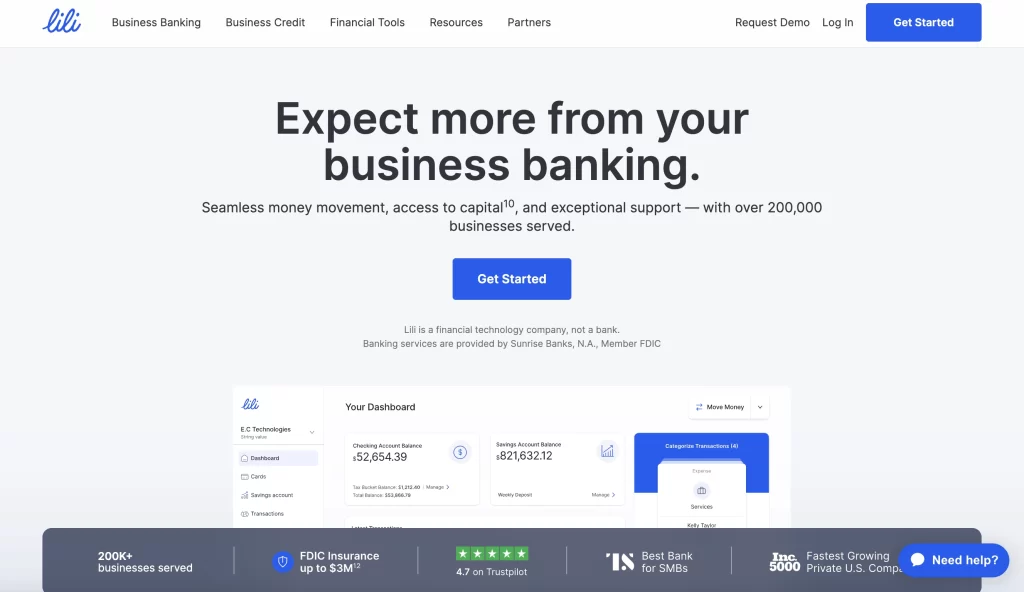
Lili is an all-in-one banking and financial management app built specifically for freelancers and self-employed professionals. Free plan available. Lili Pro starts at $16.99/month and includes tax automation, expense tracking, invoicing, and a high-yield savings account.
Best for: Freelancers, independent contractors, gig workers, and sole proprietors who want a single app that handles business banking, tax prep, invoicing, and expense tracking without needing a separate accountant or multiple subscriptions.
What is Lili?
Lili was founded in 2019 with a focused mission: build the financial operating system that self-employed people actually need, rather than a watered-down version of a tool built for larger businesses. The platform combines a business checking account (held through Choice Financial Group, Member FDIC) with automated tax tools, expense categorization, invoicing, and financial analytics — all in a mobile-first interface designed for people who are running their business, not administering software. Lili’s Tax Bucket feature automatically sets aside a percentage of every deposit as a tax reserve, solving one of the most common financial pain points for freelancers who aren’t withholding taxes from paychecks. The Pro tier adds a high-yield savings account, balance sheet generation, and more advanced tax and accounting tools.
Key Features
Business Checking Account
Lili’s FDIC-insured business checking account serves as the financial center of the platform, with no minimum balance requirements and access to fee-free ATMs at over 38,000 MoneyPass locations nationwide. Account setup takes minutes and is designed to onboard sole proprietors, LLCs, and single-member businesses without the friction of traditional bank applications. Deposits are available quickly, and the account supports standard ACH transfers, mobile check deposit, and a Lili Visa debit card for everyday purchases. For freelancers moving from a personal account to a dedicated business account for the first time, the onboarding experience is notably frictionless.
Automated Tax Buckets
Tax Bucket is Lili’s answer to one of the most consequential financial mistakes freelancers make: failing to set aside money for quarterly estimated taxes. The feature automatically moves a user-defined percentage of each incoming deposit into a dedicated tax reserve within the account. When quarterly deadlines approach or annual filing begins, the funds are already set aside — eliminating the cash flow crisis that hits many self-employed workers who haven’t planned for their tax liability. For Pro users, Lili also generates a pre-filled Schedule C and provides a tax summary report that significantly reduces the information-gathering work required to file.
Expense Tracking & Categorization
Every transaction on the Lili debit card is automatically captured and assigned to a spending category, with the ability to tag expenses as business or personal and apply notes or receipts for documentation. The system learns from corrections over time and presents categorized spending in a clean dashboard that gives freelancers a clear view of where their money is going — and which expenses may be deductible. At tax time, Lili generates a categorized expense report that can be handed directly to an accountant or used to populate a Schedule C, reducing the annual bookkeeping burden to something manageable.
Invoicing
Lili Pro includes a built-in invoicing tool that allows freelancers to create, send, and track professional invoices directly within the app — without subscribing to a separate tool like FreshBooks or Wave. Users can build branded invoice templates, set payment terms, send automated payment reminders, and accept payment via bank transfer. When a payment is received and lands in the Lili account, it is automatically reconciled against the open invoice, updating the invoice status without manual matching. For freelancers whose income comes primarily from client invoices, this closes the loop between sending work, getting paid, and having that income reflected in their financial picture.
BalanceUp Overdraft
Lili Pro and Premium users are eligible for BalanceUp, an overdraft feature that covers up to $200 in overdraft charges with no overdraft fees. For freelancers whose income is irregular and who may experience brief gaps between client payments and their own obligations, BalanceUp provides a small but meaningful buffer without the punishing fees that traditional banks charge for overdrafts. Coverage is automatic for eligible accounts and doesn’t require a separate application or credit check — making it accessible to users who may not qualify for traditional credit products.
Financial Analytics & Profit & Loss
Lili’s dashboard provides a running view of income, expenses, and net profit across any time period the user selects — effectively giving freelancers a real-time profit and loss statement without requiring accounting software or a bookkeeper. For Pro and Premium users, Lili generates formal balance sheets and income statements that can be shared with an accountant, used to apply for a loan, or presented to a client that requires financial documentation. These reports pull directly from the transaction data already in the account, making the generation of professional financial documents a one-click process rather than a multi-hour project.
Pros & Cons
| Pros | Cons |
|---|---|
| ✓ Purpose-built for freelancers — not a stripped-down SMB tool | ✗ Not suitable for multi-member businesses or teams |
| ✓ Automated Tax Bucket removes the most common freelancer financial mistake | ✗ Advanced features require the $16.99–35/month Pro or Premium plan |
| ✓ Invoicing, expense tracking, and banking in a single app | ✗ No physical branches or cash deposit via traditional banks |
| ✓ Pre-filled Schedule C and tax reports save hours at tax time | ✗ Credit and lending products are limited compared to Bluevine |
| ✓ No minimum balance and fee-free ATM network | ✗ Mobile-first design means desktop experience is less developed |
Pricing
- Free: $0/month — Business checking, debit card, Tax Bucket, basic expense tracking, fee-free ATM access.
- Lili Pro: $16.99/month — High-yield savings (4.25% APY), invoicing, balance sheet, profit & loss reports, BalanceUp overdraft.
- Lili Premium: $35/month — All Pro features plus a dedicated account manager, priority support, and advanced tax tools.
- Lili Smart: Custom — For growing businesses needing team access and expanded feature sets; pricing on request.

Written by Andres Muñoz
If you would like to receive the latest deals added to NachoNacho, make sure you sign up for our newsletter below. We’re adding amazing software discounts you can’t miss!
Sign up for our newsletter