
8 Best Productivity Tools in 2026

We looked at our data, and these were the most used productivity tools by top companies. Explore why they are so popular, who they are for, and why they deserve to be a top pick.
| Wispr Flow | Voice-to-text, reimagined. Wispr Flow lets you dictate naturally into any app — email, Slack, Google Docs — and outputs polished, context-aware text. It adapts to your writing style over time and eliminates the friction between thinking and typing. |
| Miro | The infinite canvas for team thinking. Miro is a visual collaboration platform built for brainstorming, mapping, and workshopping — with AI tools that auto-cluster sticky notes, generate diagrams from prompts, and synthesize ideas across sprawling whiteboards. |
| Claude AI | The AI built for serious work. Claude is Anthropic’s AI assistant, designed for nuanced analysis, long-form writing, coding, and research. It handles complex, multi-step tasks with a level of reasoning and careful judgment that makes it a genuine thought partner — not just a search upgrade. |
| Atlassian | Jira + Confluence, now with intelligence. The Atlassian suite is the backbone of engineering and ops teams worldwide. AI features now auto-generate sprint plans, summarize ticket backlogs, and surface related documentation inside Confluence — reducing the overhead of staying aligned at scale. |
| ClickUp | One app to replace them all. ClickUp consolidates tasks, docs, goals, and time tracking into a single workspace. Its AI layer — ClickUp Brain — writes task descriptions, summarizes project updates, and answers questions about your work based on everything inside the platform. |
| Fireflies.ai | Your meetings, fully captured. Fireflies joins your calls, transcribes everything, and delivers AI-generated summaries, action items, and searchable recordings. It integrates with your CRM, project tools, and calendar so decisions made in meetings actually make it somewhere useful. |
| Make | Visual automation for everything. Make (formerly Integromat) connects your apps through a visual, no-code workflow builder. Where simple tools handle basic triggers, Make handles complex, multi-branch logic — including AI-powered steps that can analyze data, generate content, and route information intelligently. |
| Notion | The connected workspace. Notion blends notes, databases, wikis, and project tracking in one flexible tool. Notion AI sits inside your existing docs to draft, summarize, translate, and answer questions — making your knowledge base feel less like a filing cabinet and more like a living system. |
Productivity Tools Guide Overview
AI has completely revamped productivity tools. Productivity optimization now goes way beyond simple time and task management. Now, you can automate a huge portion of your daily tasks, no matter your position. And it’s not simple automation. AI has the capability to analyze data and make smart decisions.
The best tools today transcribe your voice in real time, surface the right information before you ask for it, connect your apps without a single line of code, and turn messy meeting recordings into structured action plans. The cognitive overhead that once consumed hours of every workday is quietly disappearing.
What’s changed most is who these tools are for. AI-powered productivity used to mean something narrow: calendar optimization, inbox sorting, maybe a chatbot. Today, the category spans solo operators and enterprise teams alike. A freelance designer, a startup CTO, and a Fortune 500 project manager are all reaching for the same core stack. The barrier to building a genuinely powerful workflow has never been lower.
The eight tools in this guide represent the sharpest edge of that stack. Each one has earned its place not just by adding AI as a feature, but by being rebuilt around it. Together, they cover the full arc of modern knowledge work and they integrate tightly enough to function as a coherent system rather than a disconnected pile of apps.
How we evaluate
NachoNacho is the leading software marketplace and management platform, processing millions of transactions every year.
This means that we have firsthand data on the software trends shaping how businesses operate and improve.
This isn’t a random compilation of products, but clear category winners in the eyes of top-performing companies. Through the data, intensive research, and hands-on experience, we evaluate these products and synthesize why you may want to keep them on your radar.
To provide a full picture of each software, we also look at factors like:
- User experience
- Security
- Personal reviews
1. Wispr Flow
Wispr Flow transforms speech into polished text at up to 4x typing speed. It offers a free Basic plan with 2,000 words/week and a 14-day Pro trial with no credit card required.
Best for: Professionals, writers, and developers who want hands-free, AI-powered voice dictation across all apps and devices.
What is Wispr Flow?
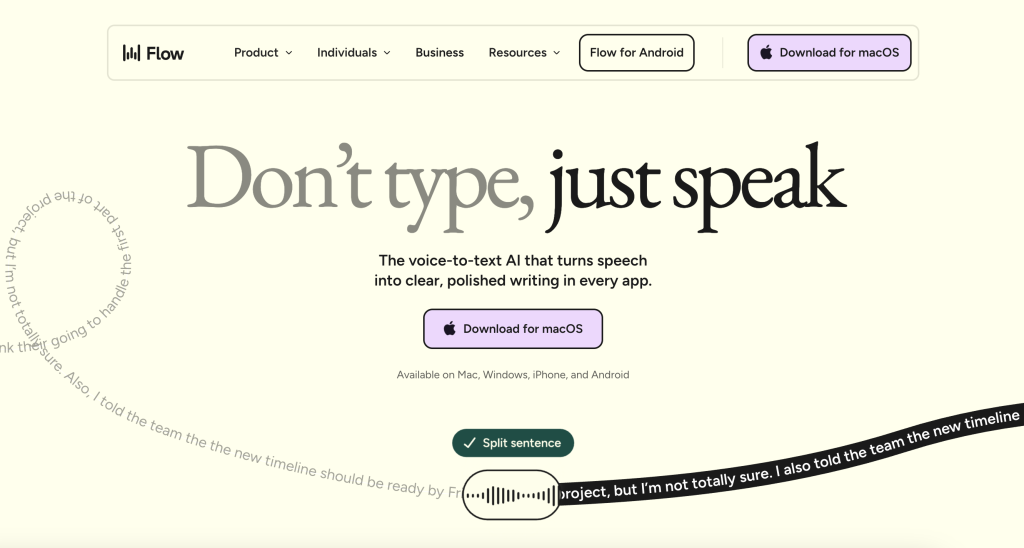
Wispr Flow is an AI-powered voice-to-text tool developed by Wispr AI, a San Francisco startup founded by ex-Apple and Meta engineers. Unlike basic dictation, it uses multiple AI layers to transcribe speech, remove filler words, add intelligent punctuation, correct backtracking, and adapt writing style to the app you are using. It works system-wide across Mac, Windows, iOS, and Android, enabling voice input in any application including email, Slack, code editors, and documents. Wispr Flow supports over 100 languages, features a personal dictionary, voice command editing (Command Mode), snippet shortcuts, and HIPAA-compliant privacy options with SOC 2 Type II certification.
Key Features
System-Wide Dictation
Wispr Flow runs natively on Mac, Windows, iOS, and Android, making it the only major AI dictation tool available on all four platforms simultaneously. It works inside every application where you can type, including Gmail, Slack, Notion, Google Docs, VS Code, Cursor, Microsoft Word, and browsers. You activate it with a simple hotkey (Fn on Mac, Ctrl+Win on Windows), speak naturally, and polished text is inserted exactly where your cursor sits. There is no app-by-app setup required.
Your personal dictionary, snippets, and style preferences sync automatically across all your devices, so you can start drafting on your Mac and continue seamlessly on your phone. Recent updates also allow binding mouse buttons for push-to-talk activation, so you never need to leave your mouse to start dictating.
AI Formatting & Editing
Wispr Flow does not just transcribe your words verbatim. Your speech runs through multiple AI layers simultaneously: the first handles transcription, while additional layers remove filler words like “um,” “uh,” and “like,” apply intelligent punctuation, correct backtracking (saying “meet Tuesday — wait, Wednesday” becomes “meet Wednesday”), and format sentences for clarity.
The result is clean, polished text that typically requires little to no manual editing. Users consistently report writing speeds of 150–220 words per minute, roughly 4x faster than average typing speed. The AI also handles capitalization, paragraph structure, and natural transition phrases, producing output that reads as though it was carefully typed and proofread.
Tone Adaptation
Wispr Flow automatically adjusts the tone, formality, punctuation, and writing style of your dictation based on the application you are typing in.
A Slack reply comes out casual and conversational; the same thought dictated into Gmail becomes a properly structured professional email. There is no manual switching between modes — the AI detects the context automatically. On Android, users can further customize this with Personalization Styles, setting specific tones for categories like Personal, Work, Email, and Other. On desktop, the tool adapts based on the active app window.
This means you always sound like yourself rather than a generic AI, and the output matches the communication norms of each platform without any extra effort.
Command Mode
Command Mode is a Pro-tier feature that lets you give voice instructions to edit, reformat, or act on text after you have spoken it. Highlight a paragraph, press the Command Mode shortcut, and say things like “make this more formal,” “summarize into bullet points,” “translate this to Spanish,” or “make this shorter” — and the AI rewrites the selection based on your command.
It replaces the need to open a separate AI chat for routine text editing tasks. You can also use Command Mode without existing text to search the web via Perplexity, open applications, or run other tasks hands-free using the “Hey Flow” wake word. Additionally, the Snippet Library lets you create voice shortcuts for text you use frequently (scheduling links, email sign-offs, FAQ responses, addresses).
Speak a short cue and Flow inserts the full formatted block instantly.
100+ Languages
Wispr Flow supports multilingual dictation with automatic language detection across over 100 languages. You can switch languages mid-sentence and the AI keeps up, making it ideal for global teams, multilingual content creation, and users who regularly communicate in multiple languages. There is no need to manually select a language before dictating.
The Personal Dictionary feature further enhances accuracy by learning your unique words, names, acronyms, and industry-specific jargon. Once you correct a spelling or add a term, Flow remembers it across all your devices and ensures it is transcribed correctly every time. For developers, the tool also recognizes and preserves camelCase and snake_case formatting when dictating variable names.
Privacy & Security
Wispr Flow holds SOC 2 Type II and ISO 27001 certifications. When Privacy Mode is enabled (available for free on all plans, including the free tier), zero audio, transcripts, or edits are stored after processing, and your data is never used for model training.
HIPAA Business Associate Agreement (BAA) signing is available directly within the app on all plans, making it suitable for healthcare, legal, and other regulated industries. The company has raised over $80M in venture funding, signaling long-term investment in security infrastructure.
It is important to note that all processing happens on cloud servers — there is no on-device processing mode. However, with Privacy Mode active, no voice data is retained once the transcription is complete, providing a strong privacy guarantee for sensitive work.
Pros & Cons
| Pros | Cons |
| ✓ Up to 4x faster than typing (150–220 WPM) | ✗ Requires internet (no offline mode) |
| ✓ Works across all platforms and apps | ✗ Cloud processing raises privacy concerns for some |
| ✓ Smart AI editing saves rewriting time | ✗ High memory usage (~800 MB RAM) |
| ✓ HIPAA-compliant on all plans, including free | ✗ No Android app until recently; Windows less mature than Mac |
| ✓ Personal dictionary learns your jargon |
Pricing
- Basic (Free): $0
2,000 words/week (Mac/Windows), 1,000 words/week (iPhone). Core dictation features. - Pro (Monthly): $15/mo
Unlimited words, Command Mode, snippets, personal dictionary, all platforms. - Pro (Annual): $12/mo
Same as Pro monthly, billed annually ($144/year). 20% savings. - Enterprise: $24/user/mo
Team management, admin controls, advanced security, and priority support.
Miro
Miro is the leading digital whiteboard platform with 5,000+ templates and 160+ integrations. Free plan available for up to 3 editable boards. Paid plans start at $8/user/month.
Best for: Distributed teams that need a shared visual workspace for brainstorming, planning, workshops, and agile collaboration.
What is Miro?
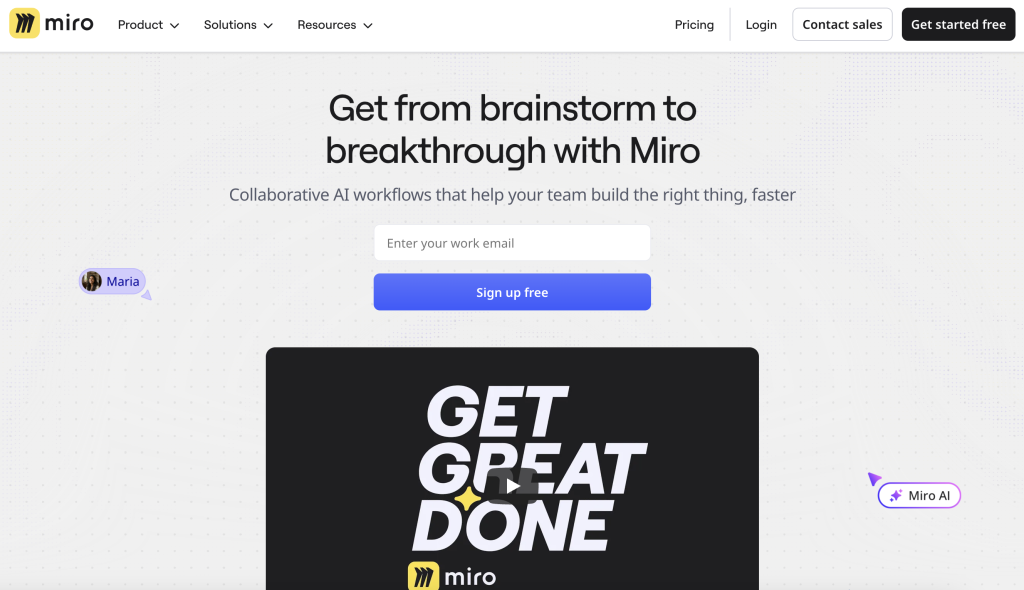
Miro is an online visual collaboration platform built around an infinite digital canvas. Originally launched as RealtimeBoard in 2011 and rebranded in 2019, Miro serves as a comprehensive workspace for brainstorming, affinity mapping, user journey mapping, sprint planning, retrospectives, and stakeholder alignment. Teams use Miro to replace physical whiteboards, centralize visual work, and enable asynchronous collaboration across time zones. The platform supports real-time co-editing with live cursors, comments, voting, video chat, and advanced facilitation tools like timers and anonymous sticky notes. Miro integrates with 160+ tools including Jira, Confluence, Slack, Microsoft Teams, and Zoom, and has recently added AI-powered features for summarization, clustering, and diagram generation.
Key Features
Infinite Canvas
The infinite canvas represents a departure from traditional, linear document formats by providing an expansive, digital workspace without borders. This allows teams to map out complex ecosystems, large-scale project timelines, and multi-phase workflows in a single location. By utilizing a zoomable interface, users can pivot from high-level strategic overviews to granular task details, ensuring that the context of the entire project is never lost.
5,000+ Templates
Miro provides a vast library of over 5,000 pre-built templates designed to jumpstart productivity across various departments. These templates are not merely aesthetic layouts; they are built upon industry-standard frameworks for Agile development, Design Thinking, and strategic planning. Whether a team needs to run a lightning decision jam or a complex PI planning session, these ready-made structures eliminate the “blank page” problem and ensure best practices are followed from the start.
Real-Time Collaboration
The platform is designed to replicate the synergy of an in-person workshop through sophisticated live interaction features. Real-time cursor tracking allows participants to see exactly where colleagues are working, while integrated voting and reaction tools enable quick consensus-building. By embedding video chat and commenting directly into the workspace, Miro reduces the need to toggle between different communication apps, keeping the team focused on the visual output.
Facilitation Tools
To manage the flow of large meetings and workshops, Miro includes a suite of specialized facilitation tools that give organizers total control over the session. Features like the countdown timer keep activities on schedule, while “Private Mode” allows participants to draft ideas on sticky notes anonymously to prevent groupthink. These tools are specifically engineered to make digital meetings more structured, inclusive, and efficient than traditional whiteboard sessions.
160+ Integrations
Miro functions as a central hub by connecting seamlessly with over 160 popular business applications. This ecosystem allows for a two-way flow of information where users can pull live data from Jira or Azure DevOps and push creative ideas directly into task management tools like Asana or Trello. By integrating with communication platforms like Slack and Microsoft Teams, Miro ensures that updates to the board are shared automatically, maintaining a single source of truth across the entire tech stack.
Miro AI
Miro AI serves as an intelligent assistant that automates the most time-consuming aspects of visual collaboration. It can instantly cluster hundreds of sticky notes by theme or sentiment, summarize lengthy discussions into actionable bullet points, and even generate mind maps or images based on simple text prompts. This layer of artificial intelligence allows teams to spend less time on manual organization and more time on high-level problem-solving and decision-making.
Pros & Cons
| Pros | Cons |
| ✓ Intuitive drag-and-drop interface with low learning curve | ✗ Large boards can become cluttered and lag |
| ✓ Best-in-class facilitation and workshop tools | ✗ Per-user pricing gets expensive for large teams |
| ✓ Massive template library covers virtually any use case | ✗ Free plan limited to 3 editable boards |
| ✓ Strong integration ecosystem with 160+ apps | ✗ AI features require higher-tier plans with credit limits |
| ✓ Excellent for remote and async team collaboration |
Pricing
- Free: $0
3 editable boards, unlimited team members, 10 AI credits/month. - Starter: $8/user/mo
Unlimited boards, private boards, 25 AI credits (billed annually). - Business: $16/user/mo
SSO, guest editing, Jira/Asana integration, 50 AI credits (billed annually). - Enterprise: Custom
SCIM, data residency, 100 AI credits, 30-member minimum. Contact sales.
Claude AI (by Anthropic)
Claude is Anthropic’s flagship AI assistant, known for strong reasoning and a 1M-token context window. Free plan available. Pro plan at $20/month includes Claude Code and extended features.
Best for: Individuals and teams who need a powerful, safety-focused AI assistant for writing, research, coding, analysis, and complex reasoning.
What is Claude AI (by Anthropic)?
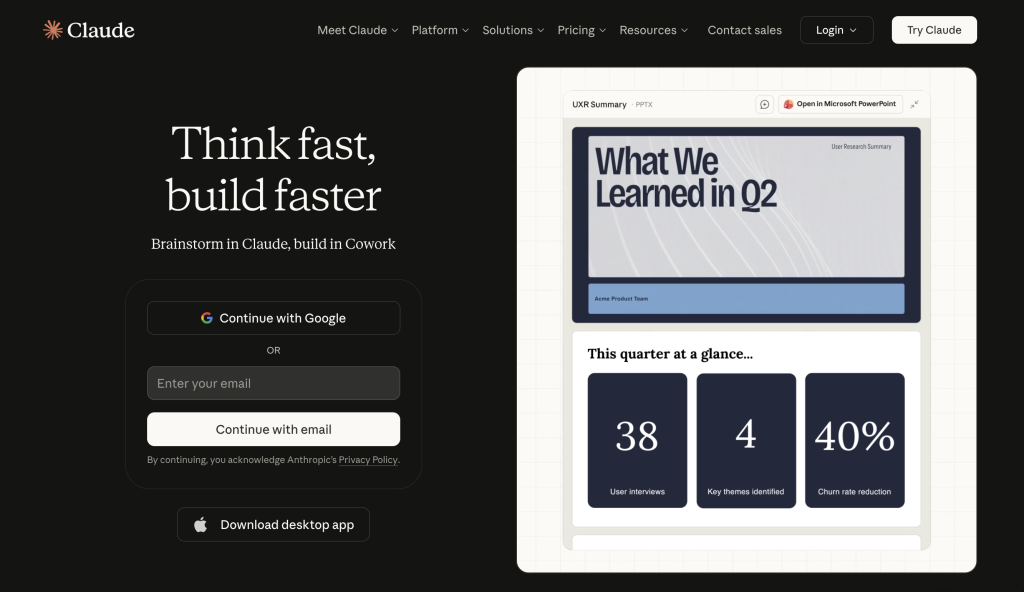
Claude is a family of AI models built by Anthropic, an AI safety company founded in 2021 by former OpenAI researchers Dario and Daniela Amodei. Claude serves as a conversational AI assistant available via web, mobile, desktop, and API. The current model family includes Claude Opus 4.6 (most advanced), Claude Sonnet 4.6, and Claude Haiku 4.5, offering different tiers of capability and cost. Claude excels at complex reasoning, coding, research, document analysis, and creative writing. It features a context window of up to 1 million tokens, making it ideal for processing large documents and codebases. Claude also includes Claude Code, an agentic coding tool that can autonomously read codebases, write across files, and execute terminal commands. Anthropic’s Constitutional AI approach prioritizes safety and helpfulness.
Key Features
Advanced Reasoning
Claude AI is engineered with a focus on high-order cognitive tasks, consistently achieving top-tier performance on global reasoning benchmarks. Unlike basic language models that may struggle with logic, Claude excels at complex analysis and intricate, multi-step problem solving. This capability allows it to understand nuance, follow sophisticated instructions, and provide logical deductions that make it an ideal partner for academic research, legal analysis, and strategic business planning.
1M Token Context
With a massive 1-million-token context window, Claude can ingest and retain an extraordinary amount of data within a single session. This allows users to upload hundreds of pages of documentation, entire software codebases, or hours of meeting transcripts for comprehensive analysis. Because the model maintains a holistic view of this information, it can identify patterns, find specific needles in haystacks, and answer questions with a deep understanding of the provided material that goes far beyond simple keyword matching.
Claude Code
Claude Code represents a significant leap into agentic workflows, functioning as a specialized tool for software development. It goes beyond mere code suggestions by actively interacting with local repositories, reading multiple files simultaneously to understand dependencies, and writing functional code across an entire project. It can even execute terminal commands, run tests, and manage git commits, effectively acting as an autonomous pair programmer that handles the heavy lifting of repository management and feature implementation.
Web Search & Research
To overcome the limitations of static training data, Claude includes integrated web search and deep research capabilities. This allows the model to browse the live internet to retrieve the most current news, technical documentation, and data points. When tasked with a research project, it doesn’t just provide a summary; it synthesizes multiple sources to provide a comprehensive, up-to-date report, ensuring that the information provided is both timely and factually grounded in the present day.
File Creation
Claude simplifies the transition from ideation to production by offering direct file creation within the chat interface. Users can request the generation of professional Word documents, complex spreadsheets, slide presentations, PDFs, and various code files. This eliminates the manual effort of copying and pasting text into external applications, allowing for a seamless workflow where the AI not only drafts the content but also packages it into the specific file format required for immediate use or distribution.
Multi-Platform Access
Accessibility is a core component of the Claude ecosystem, ensuring that the AI is available wherever work happens. It is fully accessible via a web interface, dedicated desktop applications, and native mobile apps for iOS and Android. For technical users and enterprises, Claude offers a robust API for custom builds, and it integrates directly with Google Workspace, allowing it to interact with emails, documents, and calendars to streamline everyday productivity across a variety of professional environments.
Pros & Cons
| Pros | Cons |
| ✓ Industry-leading reasoning and nuanced analysis | ✗ Usage limits vary by demand and are not published as exact counts |
| ✓ Massive 1M-token context window for document-heavy work | ✗ Pro plan needed for full Claude Code and advanced features |
| ✓ Claude Code is a powerful autonomous coding agent | ✗ API costs can scale quickly for high-volume use |
| ✓ Strong safety and privacy focus (Constitutional AI) | ✗ Some features (Max plans) are premium at $100–200/month |
| ✓ Generous free plan with core capabilities |
Pricing
- Free: $0
Web, mobile, desktop access. Text/image/code generation, web search. Daily usage limits. - Pro: $20/mo
5x free usage, Claude Code, file creation, Google Workspace integration, projects. - Max 5x: $100/mo
Significantly higher usage limits, extended thinking, unlimited Opus access. - Max 20x: $200/mo
Highest individual usage tier with maximum capacity. - Team: $25/user/mo
Collaboration features, higher usage, admin controls. Minimum 5 users. - Enterprise: Custom
SSO, SCIM, audit logs, data residency, dedicated support. No data training.
Atlassian (Jira + Confluence)
Atlassian offers an integrated suite with Jira for project/issue tracking and Confluence for documentation and collaboration. Free plans available for up to 10 users. Standard plans start at ~$8/user/month per product.
Best for: Software development teams and enterprises that need robust project tracking, agile management, and team knowledge sharing.
What is Atlassian (Jira + Confluence)?
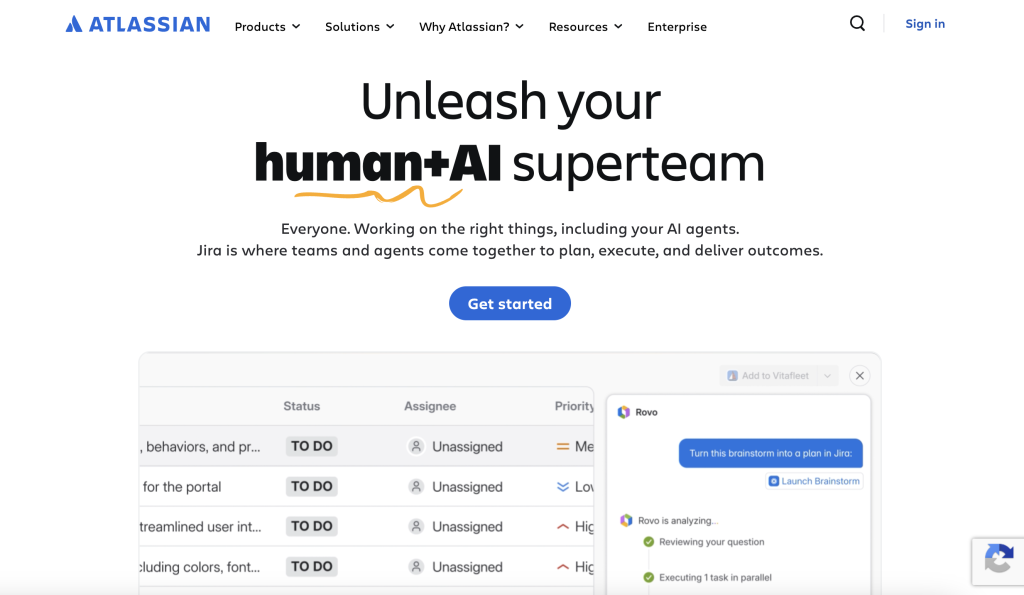
Atlassian is a software company offering a suite of collaboration and project management tools. Jira Software is its flagship product for agile project management, enabling teams to plan sprints, track issues, manage backlogs, and visualize workflows through Scrum and Kanban boards. Confluence serves as the team knowledge base and wiki, providing shared workspaces for documentation, meeting notes, project plans, and collaborative editing. Together, they form a tightly integrated ecosystem used by millions of software development, IT, and business teams worldwide. The Atlassian platform also includes Jira Service Management for ITSM, Bitbucket for code management, and Trello for lightweight task management. Atlassian Intelligence (AI) features are being rolled out across products for smart search, summarization, and automation.
Key Features
Agile Project Management
Atlassian’s flagship capability lies in its robust support for Agile methodologies, primarily through Jira. Teams can implement Scrum and Kanban frameworks with ease, utilizing digital boards to visualize work in progress and identify bottlenecks. The platform facilitates every stage of the development lifecycle, from initial sprint planning and backlog grooming to real-time velocity tracking. By providing clear insights into team capacity and progress, it helps organizations maintain a steady rhythm and deliver value to customers more predictably.
Issue & Bug Tracking
The core of the Atlassian ecosystem is a sophisticated engine for tracking tasks, bugs, and requirements. Every issue is highly customizable, allowing organizations to define unique workflows, mandatory fields, and priority levels that match their internal processes. This ensures that every piece of work is accounted for and moved through the necessary stages of approval or testing. Statuses provide immediate transparency, so stakeholders always know whether a critical bug is being triaged, resolved, or awaiting deployment.
Team Knowledge Base
Confluence serves as the central nervous system for team intelligence, moving documentation away from siloed files and into a collaborative wiki environment. It uses a structured hierarchy of spaces and pages, making it easy to organize everything from high-level company policies to technical specifications. With pre-built templates and the ability to add inline comments, Confluence encourages a culture of open documentation where knowledge is easily discoverable, searchable, and constantly evolving alongside the project.
Automation Rules
To eliminate manual overhead, Atlassian provides a powerful no-code automation builder that works across Jira and Confluence. Teams can create “if-this-then-that” rules to handle repetitive tasks, such as automatically transitioning a parent task when all sub-tasks are completed or alerting a specific Slack channel when a high-priority bug is reported. These rules reduce human error and free up team members to focus on high-value creative work rather than administrative maintenance.
Deep Integrations
Atlassian products are designed to work better together, creating a seamless flow of information between Bitbucket for source code, Jira for project tracking, and Confluence for documentation. Beyond the core suite, the Atlassian Marketplace offers over 3,000 third-party apps, allowing teams to customize their workspace with tools for time tracking, testing, and CRM. This deep connectivity ensures that developers, product managers, and operations teams remain aligned without having to manually sync data across different platforms.
Atlassian Intelligence
Atlassian Intelligence integrates advanced generative AI and machine learning directly into the user’s workflow to accelerate productivity. It can instantly summarize long Confluence pages, draft responses to support tickets, and generate complex JQL queries using natural language. By acting as a smart layer across the entire product suite, it helps users find information faster and transform raw data into polished content, effectively reducing the cognitive load required to manage large-scale enterprise projects.
Pros & Cons
| Pros | Cons |
| ✓ Industry standard for software development teams | ✗ Steep learning curve, especially for Jira administration |
| ✓ Extremely deep and customizable workflow capabilities | ✗ Can feel heavy and complex for non-technical teams |
| ✓ Tight integration across the entire Atlassian ecosystem | ✗ Costs add up quickly when bundling multiple products |
| ✓ Large marketplace with 3,000+ apps and plugins | ✗ UI can feel dated compared to newer competitors |
| ✓ Free tier for up to 10 users on each product |
Pricing
- Free: $0
Up to 10 users per product. Basic features, 2 GB storage (Jira or Confluence). - Standard: ~$8/user/mo
Per product. Advanced permissions, 250 GB storage, automation rules. - Premium: ~$16/user/mo
Per product. Advanced analytics, IP allowlisting, 24/7 support, unlimited storage. - Enterprise: Custom
Unlimited sites, data residency, Atlassian Guard, dedicated support. Annual billing.
ClickUp
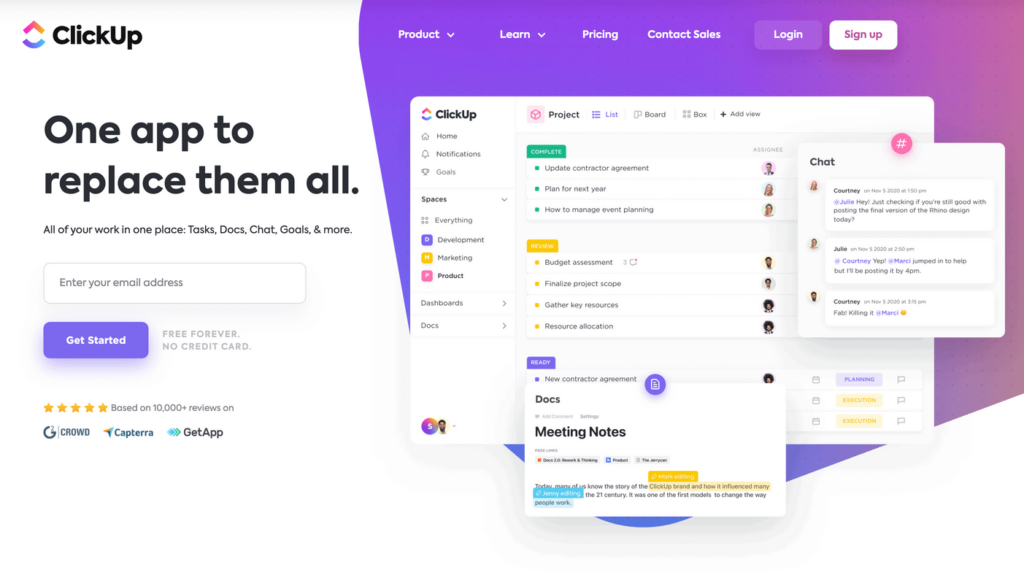
ClickUp consolidates project management, docs, whiteboards, and goals into a single platform. Free Forever plan available. Paid plans start at $7/user/month with one of the most aggressive price-to-feature ratios on the market.
Best for: Teams of all sizes looking for an all-in-one project management platform with tasks, docs, chat, goals, and time tracking.
What is ClickUp?
ClickUp is a cloud-based productivity and project management platform designed to replace multiple tools with a single unified workspace. Founded by Zeb Evans, ClickUp offers task management, collaborative documents (Docs), whiteboards, goals, time tracking, dashboards, and automation under one roof. It supports multiple views including list, board, calendar, Gantt chart, timeline, and workload views, allowing teams to visualize work in ways that suit their methodology. ClickUp is known for its feature density at every price point, offering capabilities that many competitors reserve for premium tiers. ClickUp Brain, its AI assistant, is available as an add-on for AI-powered task summarization, writing, and automated standups.
Key Features
Multiple Views
ClickUp distinguishes itself by offering a highly flexible interface that allows users to visualize their work through several distinct lenses. Unlike platforms that lock a team into a single format, ClickUp provides List, Board, Gantt, Calendar, and Timeline views, as well as specialized Workload and Map views. This versatility means that a project manager can track a schedule via a Gantt chart while a developer simultaneously views the same tasks on a Kanban board, ensuring that every team member can work in the environment that best suits their specific cognitive style or functional needs.
ClickUp Docs
The platform includes a native, collaborative document editor known as ClickUp Docs, which bridges the gap between static documentation and active task management. These documents support rich text editing, embedded media, and nested pages, allowing for the creation of complex wikis or simple meeting notes. Because Docs are integrated directly into the workspace, users can highlight any text to instantly create a linked task, ensuring that ideas and requirements generated during a brainstorm are immediately translated into actionable items without leaving the page.
Custom Automations
To minimize the burden of “work about work,” ClickUp features a robust no-code automation builder designed to handle routine administrative actions. With over 100 triggers and actions, teams can create sophisticated logic to move tasks between lists, assign team members based on status changes, or trigger external notifications when deadlines approach. By automating these repetitive sequences, organizations can ensure process consistency across different departments while allowing employees to focus their energy on high-level strategic objectives.
Goals & OKRs
ClickUp provides a dedicated framework for setting and tracking measurable objectives and key results (OKRs) directly within the project management environment. Users can create high-level Goals and break them down into smaller, measurable Targets such as currency, percentages, or completed tasks. These goals feature automatic progress roll-ups, providing leadership with a real-time, bird’s-eye view of how daily activities contribute to the company’s broader strategic milestones, thereby fostering a culture of transparency and accountability.
Time Tracking
The platform includes built-in time tracking capabilities that eliminate the need for third-party browser extensions or separate invoicing software. Team members can track time globally, within specific tasks, or manually log hours after the fact. This data is enriched by time estimates and detailed reporting features, allowing managers to compare actual time spent against initial projections. These insights are vital for calculating billable hours, identifying resource bottlenecks, and improving the accuracy of future project planning.
ClickUp Brain (AI)
ClickUp Brain is a comprehensive artificial intelligence suite that acts as a knowledge manager and personal assistant integrated across the entire workspace. It uses generative AI to provide instant task summarization, draft content for docs, and generate automated daily standups by analyzing team activity. Beyond content creation, its “Knowledge Manager” capability allows users to ask natural language questions about their projects—such as “What is the status of the marketing launch?”—and receive accurate answers based on the data stored within their specific ClickUp environment.
Pros & Cons
| Pros | Cons |
| ✓ Exceptional value: most features per dollar in its category | ✗ Steep learning curve due to feature density |
| ✓ All-in-one platform reduces tool sprawl | ✗ Performance can be slow in large or complex workspaces |
| ✓ Highly customizable to fit any team workflow | ✗ AI (ClickUp Brain) is a paid add-on, not included in plans |
| ✓ Generous Free Forever plan with unlimited tasks and users | ✗ Can feel overwhelming for simple use cases |
| ✓ Frequent updates and new feature releases |
Pricing
- Free Forever: $0
Unlimited tasks and users, 100 MB storage, limited custom fields and views. - Unlimited: $7/user/mo
Unlimited storage, Gantt, custom fields, timesheets, guest access (annual billing). - Business: $12/user/mo
Advanced automations (5,000/mo), Google SSO, sprint reporting, private docs (annual). - Enterprise: Custom
White labeling, enterprise security, advanced permissions, dedicated support. - Brain AI (Add-on): $5–9/user/mo
AI writing, task summarization, and automated standups. Added to any paid plan.
Fireflies.ai
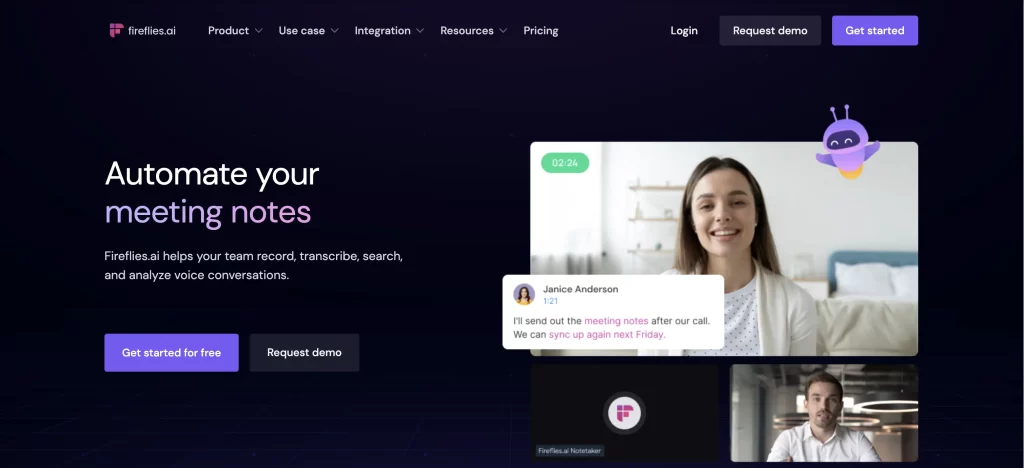
Fireflies.ai is an AI meeting assistant that automatically records, transcribes, and summarizes your calls on Zoom, Meet, and Teams. Free plan available with core transcription. Pro starts at $10/user/month (annual).
Best for: Sales teams, managers, and professionals who want automated meeting transcription, AI summaries, and searchable conversation archives.
What is Fireflies.ai?
Fireflies.ai is an AI-powered meeting assistant that automatically joins online meetings (Zoom, Google Meet, Microsoft Teams, and more) to record, transcribe, and summarize conversations. Launched in 2016, it was one of the first tools to introduce automated meeting note-taking. The platform transcribes in over 100 languages with approximately 95% accuracy, generates AI summaries with action items, and provides searchable transcripts across all past meetings. Fireflies also offers speaker analytics (talk time, sentiment), topic tracking, and integrations with CRM tools like Salesforce and HubSpot. Its AI assistant, AskFred, lets users query meeting content with natural language questions.
Key Features
Auto-Join & Record
Fireflies.ai simplifies the meeting documentation process by deploying a specialized AI bot that automatically integrates with your digital calendar. Once connected, the assistant identifies scheduled sessions on platforms like Zoom, Google Meet, and Microsoft Teams, joining the call as a participant to capture high-quality audio and video. This hands-off approach ensures that every discussion is recorded without requiring manual intervention from the host, allowing participants to remain fully engaged in the conversation rather than focusing on taking notes.
AI Transcription
The platform utilizes advanced speech-to-text engines to provide real-time transcription with approximately 95% accuracy in clean audio environments. Supporting over 100 languages, the system is designed to handle diverse accents and technical jargon, applying smart punctuation and speaker identification to make the final text readable and professional. This creates a searchable, time-stamped permanent record of the meeting, which serves as a vital resource for legal compliance, technical reviews, or catching up on missed sessions.
AI Summaries & Action Items
Immediately following a meeting, Fireflies.ai processes the raw transcript into a structured executive summary. The AI identifies key discussion points, highlights significant decisions, and automatically extracts action items assigned to specific participants. These summaries are highly customizable via “AI Apps,” allowing teams to choose different formats for specific meeting types, such as sales discovery calls, creative brainstorms, or internal standups, effectively turning hours of talk into a few minutes of actionable reading.
AskFred AI Assistant
AskFred is a sophisticated natural language interface that allows users to converse with their meeting history as if they were talking to a personal assistant. Users can ask specific questions about past discussions, such as “What was the budget mentioned in the Q3 planning session?” or “Summarize the client’s main objections.” This capability extends beyond simple keyword search, as Fred can synthesize information across multiple meetings to provide contextually relevant answers, generate follow-up emails, or even create content like blog posts or tweets based on meeting insights.
Speaker Analytics
To help teams improve their communication and performance, Fireflies.ai includes a “Conversation Intelligence” suite that provides detailed speaker analytics. The system tracks metrics such as total talk time, the ratio of questions asked, the use of filler words, and the length of monologues. Combined with sentiment analysis—which detects the emotional tone of the conversation—these insights allow managers to coach sales representatives more effectively or help project leads ensure that every team member has an equal opportunity to contribute.
CRM & App Integrations
Fireflies.ai functions as a bridge between live conversations and your existing professional ecosystem by integrating with over 160 popular business applications. The platform can automatically push meeting notes, transcripts, and recordings directly into CRM systems like Salesforce and HubSpot, ensuring that lead records are always up to date. Additionally, it syncs with project management tools like Asana and Notion, as well as communication hubs like Slack, allowing teams to keep their entire workflow synchronized without manual data entry.
Pros & Cons
| Pros | Cons |
| ✓ Hands-free meeting transcription saves hours of note-taking | ✗ AI features consume credits that can run out |
| ✓ Searchable transcript archive across all past meetings | ✗ Bot joining meetings can be disruptive or raise privacy concerns |
| ✓ Supports 100+ languages for global teams | ✗ Free plan has limited AI summaries and 800-min storage cap |
| ✓ Integrates with major CRM and productivity tools | ✗ Transcription accuracy drops with accents or poor audio quality |
| ✓ Easy setup with calendar-based auto-join |
Pricing
- Free: $0
Unlimited transcription, limited AI summaries, 800 min storage, basic search. - Pro: $10/user/mo
Unlimited transcription, AI summaries, 8,000 min storage, app integrations (annual billing). - Business: $19/user/mo
Unlimited storage, video recording, conversation intelligence, CRM integrations (annual). - Enterprise: $39/user/mo
Custom setup, SSO, HIPAA compliance, dedicated support, advanced security (annual).
Make (formerly Integromat)
Make is a visual no-code automation platform with 3,000+ app integrations and advanced branching logic. Free plan with 1,000 credits/month. Paid plans start at $9/month.
Best for: Technical teams, agencies, and automation pros who need to build complex, multi-step workflows connecting hundreds of apps.
What is Make?
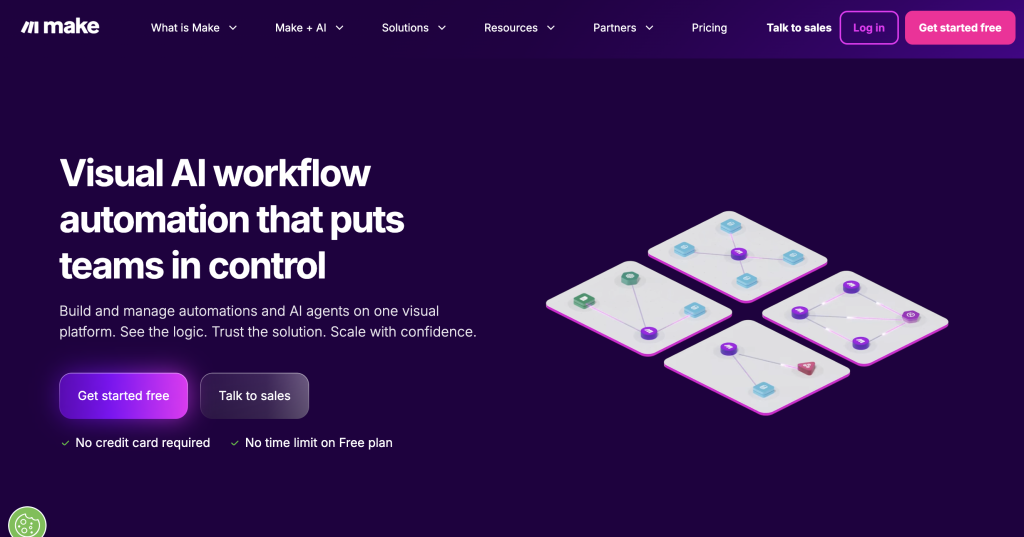
Make is a visual workflow automation platform that lets users connect apps and automate multi-step processes without coding. Users build ‘scenarios’ by dragging and dropping modules on a visual canvas, connecting triggers and actions across 3,000+ applications including Gmail, Slack, Google Sheets, Salesforce, and more. What sets Make apart from simpler automation tools is its support for advanced logic: routers for branching paths, iterators for looping, filters, error handlers, and custom JavaScript/Python code execution. Make uses a credit-based pricing model where each operation (trigger, action, or search) consumes credits. The platform also supports AI connections, letting users integrate OpenAI, Anthropic, and other AI services into their workflows.
Key Features
Visual Workflow Builder
Make offers a sophisticated drag-and-drop canvas that transforms the way users visualize and construct automation. Unlike traditional list-based automation tools, this spatial interface allows users to arrange modules, connect them with clear visual paths, and implement complex logic through routers and filters. This high-level visibility makes it possible to build and maintain intricate “scenarios” that involve dozens of steps, while built-in error handlers ensure that if a single step fails, the system can automatically retry or follow a secondary path to prevent data loss.
3,000+ Integrations
The platform serves as a massive connectivity hub, offering native modules for over 3,000 different applications. Whether a business needs to sync customer data between Shopify and Salesforce, automate communication across Slack and Gmail, or manage data in Google Sheets, Make provides the infrastructure to link these disparate systems. This extensive library is constantly updated with new apps, ensuring that teams can continue to scale their automation across an ever-evolving software ecosystem without needing to write custom API code for every new tool they adopt.
Advanced Logic
Make provides developers and power users with a level of control usually reserved for custom-coded applications. Through the use of routers, users can create multi-branch workflows where data is sent down different paths based on specific criteria. Iterators and aggregators allow for the processing of arrays and loops, enabling the automation of complex batch tasks. For scenarios that require even deeper customization, Make supports the injection of custom JavaScript or Python, offering full flexibility for those who need to perform advanced data manipulation or specialized calculations.
AI Connections
The platform has positioned itself as a central gateway for the AI revolution by integrating with over 350 specialized AI applications, including industry leaders like OpenAI and Anthropic. This allows users to build “AI-first” automations where large language models can analyze incoming emails, generate content, or make decisions within a larger business process. By embedding AI directly into the flow of data, businesses can automate sophisticated tasks such as sentiment analysis, automatic translation, or intelligent document categorization as part of their standard daily operations.
Real-Time & Scheduled
Flexibility in execution is a hallmark of the Make platform, offering both event-driven and time-based triggers. Through the use of webhooks, scenarios can run in real-time the moment an event occurs—such as a new sale or a form submission. Alternatively, users can set precise schedules for their workflows, ranging from monthly reports down to one-minute intervals on premium plans. This dual approach ensures that time-sensitive tasks are handled instantly while recurring maintenance tasks are executed consistently according to the organization’s specific needs.
Credit Rollover
In a significant update to its pricing model in 2026, Make introduced a credit rollover feature for its paid subscription tiers. This feature addresses the common challenge of fluctuating automation needs by allowing users to carry forward any unused task credits into the following month. This ensures that businesses get maximum value from their investment, providing a buffer for months with high seasonal traffic or unexpected project spikes. By allowing credits to roll over once, the platform offers a more equitable and predictable cost structure for growing enterprises.
Pros & Cons
| Pros | Cons |
| ✓ Most powerful visual automation builder available | ✗ Steeper learning curve than Zapier or simpler tools |
| ✓ Dramatically cheaper than Zapier at scale | ✗ Credits can be consumed quickly with high-frequency scenarios |
| ✓ Handles complex multi-branch workflows with ease | ✗ No built-in native AI – requires external API connections |
| ✓ Generous free plan (1,000 credits, no credit card needed) | ✗ Interface can feel overwhelming for beginners |
| ✓ Transparent credit-based pricing with no hidden fees |
Pricing
- Free: $0
1,000 credits/month, 2 active scenarios, 15-min interval. Good for testing. - Core: $9/mo
10,000 credits, unlimited active scenarios, 1-min intervals, Make API access. - Pro: $16/mo
10,000 credits, priority execution, full-text execution log, custom variables. - Teams: $29/mo
Team roles, shared scenario library, collaboration features, scenario templates. - Enterprise: Custom
Custom credit volumes, SSO, SCIM, audit logs, 24/7 support, overage protection.
Notion
Notion combines notes, docs, wikis, databases, and project management in a single workspace. Free for personal use. Plus plan starts at $10/user/month. AI features bundled into Business tier at $18–20/user/month.
Best for: Startups, small-to-mid teams, and knowledge workers who want a flexible all-in-one workspace for docs, wikis, projects, and databases.
What is Notion?
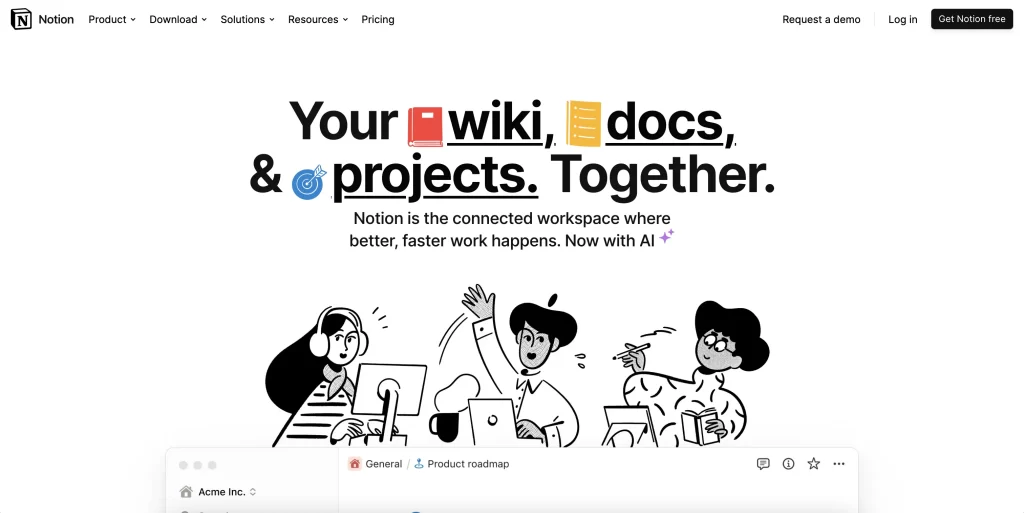
Notion is a connected workspace that blends notes, documents, wikis, databases, and project management into a single, highly customizable platform. It allows users to create everything from simple to-do lists and meeting notes to complex relational databases, knowledge bases, and project trackers. Notion’s block-based editor lets users mix text, tables, images, embeds, and databases on any page. The platform supports team collaboration with shared workspaces, real-time editing, comments, and permission controls. Notion AI, now bundled into Business and Enterprise tiers, provides AI-powered writing, summarization, Q&A across workspace content (Ask Notion), and Custom Agents for building specialized AI workflows. The platform is widely adopted by startups for its flexibility and has expanded to serve large enterprises with advanced security and governance features.
Key Features
Block-Based Editor
Notion utilizes a highly versatile block-based architecture that redefines how digital content is created and organized. In this system, every element—whether it is a paragraph of text, a checklist, an image, or an embedded video—is treated as an individual “block” that can be dragged, dropped, and nested with ease. This modular approach allows users to transform a simple note into a complex dashboard by simply rearranging components, offering a level of spatial flexibility that traditional, static document editors cannot match.
Databases & Relations
One of the platform’s most powerful features is its ability to build sophisticated relational databases that remain user-friendly. Users can store information in a central database and then visualize that data through multiple lenses, such as tables, Kanban boards, calendars, or galleries. Because these databases are relational, a “Tasks” database can be linked directly to a “Projects” or “Clients” database. With advanced tools like formulas and rollups, Notion can automatically calculate progress percentages or aggregate data from across the entire workspace, functioning as a lightweight customized software application.
Team Wikis
Notion serves as a centralized “source of truth” by providing a structured environment for team wikis and internal documentation. Using a hierarchical system of nested pages and dedicated team spaces, organizations can build a knowledge base that is both deep and discoverable. Breadcrumb navigation ensures that users always understand their location within the workspace, while granular permission settings allow teams to share specific sub-pages with external collaborators or keep sensitive company policies restricted to internal staff.
Notion AI & Agents
Notion has integrated artificial intelligence directly into the workspace to act as a creative partner and data analyst. Beyond basic writing assistance and summarization, “Ask Notion” allows users to query their entire workspace in natural language to find buried information instantly. For those on Business and Enterprise plans, the introduction of Custom Agents allows for the creation of automated workflows where AI agents can perform specific tasks, such as triaging incoming requests or updating project statuses based on the content of a meeting note.
Templates Gallery
To help users avoid the intimidation of a blank page, the Notion Template Gallery offers a massive collection of official and community-created starting points. These templates cover a wide spectrum of use cases, from professional CRM systems and product roadmaps to personal habit trackers and meal planners. By adopting these pre-built structures, users can immediately implement sophisticated organizational systems that have been refined by thousands of other members of the global Notion community.
Integrations
Notion functions as a cohesive hub for a team’s entire tech stack through its robust integration capabilities. By connecting with tools like Slack, Google Drive, GitHub, and Figma, users can see live previews of their work and receive automated notifications within the Notion interface. Furthermore, integrations with automation platforms like Zapier and Make allow for a seamless flow of data between Notion and thousands of other apps, ensuring that the workspace remains synchronized with every other facet of a company’s operations.
Pros & Cons
| Pros | Cons |
| ✓ Extremely flexible – adapts to virtually any workflow | ✗ Steep learning curve due to high flexibility |
| ✓ Beautiful, clean interface with intuitive block editing | ✗ Full AI features require the $18–20/mo Business plan |
| ✓ Replaces multiple tools (docs, wikis, tasks, databases) | ✗ Can feel slow with very large databases |
| ✓ Strong template ecosystem for fast setup | ✗ Per-seat pricing gets expensive at scale |
| ✓ Generous free tier for individual users | ✗ Offline support is limited |
Pricing
- Free: $0
Unlimited pages for personal use. Limited team blocks. Basic integrations. - Plus: $10/user/mo
Unlimited blocks for teams, file uploads, 30-day version history, limited AI trial. - Business: $18/user/mo
Full Notion AI, private teamspaces, SAML SSO, 90-day history (billed annually). - Enterprise: Custom
SCIM provisioning, audit logs, unlimited history, workspace analytics, dedicated CSM.

Written by Andres Muñoz
If you would like to receive the latest deals added to NachoNacho, make sure you sign up for our newsletter below. We’re adding amazing software discounts you can’t miss!
Sign up for our newsletter



![Best Onboarding Software in 2025 [Review]](https://blog.nachonacho.com/wp-content/uploads/2022/06/Best-Onboarding-Software-in-2022-Review-768x274.png)